
Declutter your iPhone photo library, one swipe at a time
Review thousands of photos and videos with simple swipes — left to keep, up to delete. Swipe boldly: anything you mark can go right back. No ads to break your flow, and your photos are never uploaded.
Free to start · iPhone & iPad · iOS 18.0 or later

Your photo library is a mess
Thousands of photos. Screenshots you forgot about. Ten nearly identical shots of the same sunset. Blurry pictures from years ago. You know you should clean up — but scrolling and tapping one photo at a time? Life's too short.
1 swipe
to keep or delete each photo
0
photos uploaded — your library stays on your device
30 days
to restore anything from Recently Deleted
Three steps. That's it.
Butterfly turns photo cleanup into a few minutes of swiping.
Pick a batch
Butterfly splits your library into batches of 20, 50, or 100 photos and videos, newest first. Small enough to finish in one sitting.
Swipe to decide
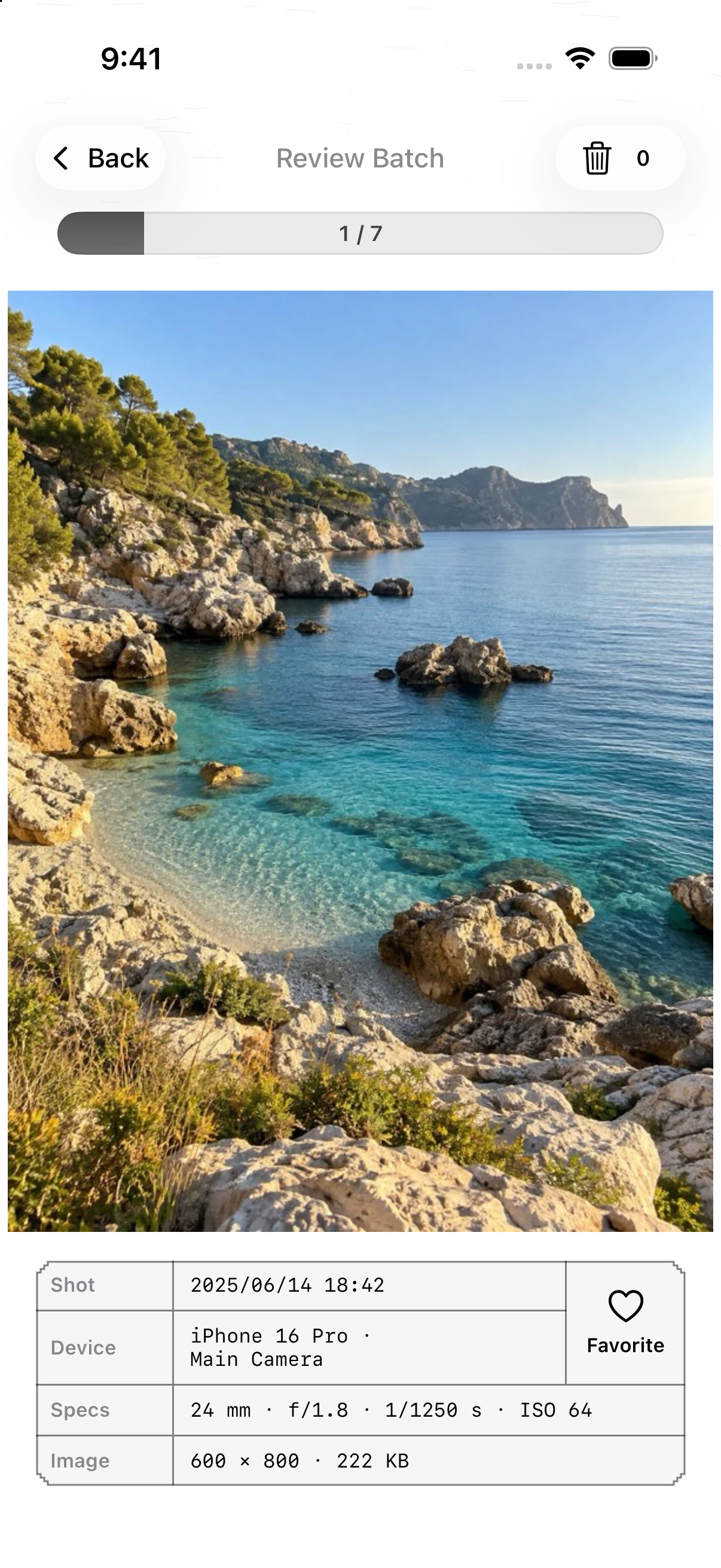
Swipe left to keep. Swipe up to mark for deletion. Swipe down to add to Favorites. Swipe right to go back to the previous photo.
Review, then confirm
Check everything you marked and put back anything you're unsure about. Nothing is deleted until you confirm — and deleted items wait in Recently Deleted for 30 days.
Built different
Thoughtful details, and no compromises on privacy or safety.
Private by design
Your photos are never uploaded. No account, no analytics, no ads, and no tracking SDKs — Butterfly works with the library already on your device.
Review before you delete
Marked items wait in a review grid. Delete them, or return any photo to the queue in its original spot. Nothing is removed until you confirm.
Bite-sized batches
Work through your library 20, 50, or 100 items at a time, with a progress bar and a running count of what's left to review.
Live Photos, videos & Favorites
Press and hold to play Live Photos, scrub through videos, double-tap to zoom, and swipe down to favorite the keepers.
Camera-style details
See when and where each shot was taken, which lens captured it, and its aperture, shutter speed, ISO and file size — right under the photo.
iPhone and iPad
A universal app designed for both screens. Buy Lifetime once and unlock it on every device signed in with your Apple ID.
Questions, answered
The short version of what Butterfly does — and what it doesn't.
What is Butterfly?
Butterfly is a photo cleanup app for iPhone and iPad. It shows your photos and videos one at a time in small batches: swipe left to keep, swipe up to mark for deletion, then confirm the batch. It's a fast, calm way to declutter a camera roll by hand.
Will Butterfly delete photos without asking me?
No. Swiping up only marks a photo. Nothing is deleted until you review and confirm the batch, and even then items move to the Recently Deleted album in Apple's Photos app, where you can restore them for 30 days.
Are my photos uploaded anywhere?
No. Butterfly has no servers, accounts, analytics or ads, and it works with your library on-device through Apple's Photos framework. Like the Photos app, it may download originals stored in iCloud Photos. StoreKit connects to Apple for products, purchases, and restores. When Show EXIF metadata is on, photo GPS coordinates may be sent to Apple's geocoding service to show a place name. You can turn it off in Settings > Preferences. Butterfly does not request your current location.
How much does Butterfly cost?
Butterfly is free to download and lets you review 200 photos and videos every week. A one-time Lifetime purchase ($4.99 in the US) removes the weekly limit for good. There is no subscription.
Does Butterfly find duplicate photos automatically?
No. Butterfly is built for fast manual review, so you make the call on every photo. For exact duplicates, Apple's Photos app also has a built-in Duplicates album on iOS 16 and later.
What do I need to use Butterfly?
An iPhone or iPad running iOS 18.0 or later, and Full Access to your photo library. Butterfly is available in English and Simplified Chinese.
Ready to declutter?
Free to start — 200 photos and videos every week. No account needed.